 Shahria Emon
Puppeteer vs Selenium is usually argued by people writing browser tests. My niche when I started coding in 2020 was something harder: browser automation against real websites, running every day, on sites that don't want to be automated. I've used both tools for that work. Here is how they differ in practice, and why Puppeteer, with its stealth plugin, won for me.
Puppeteer vs Selenium: the short answer
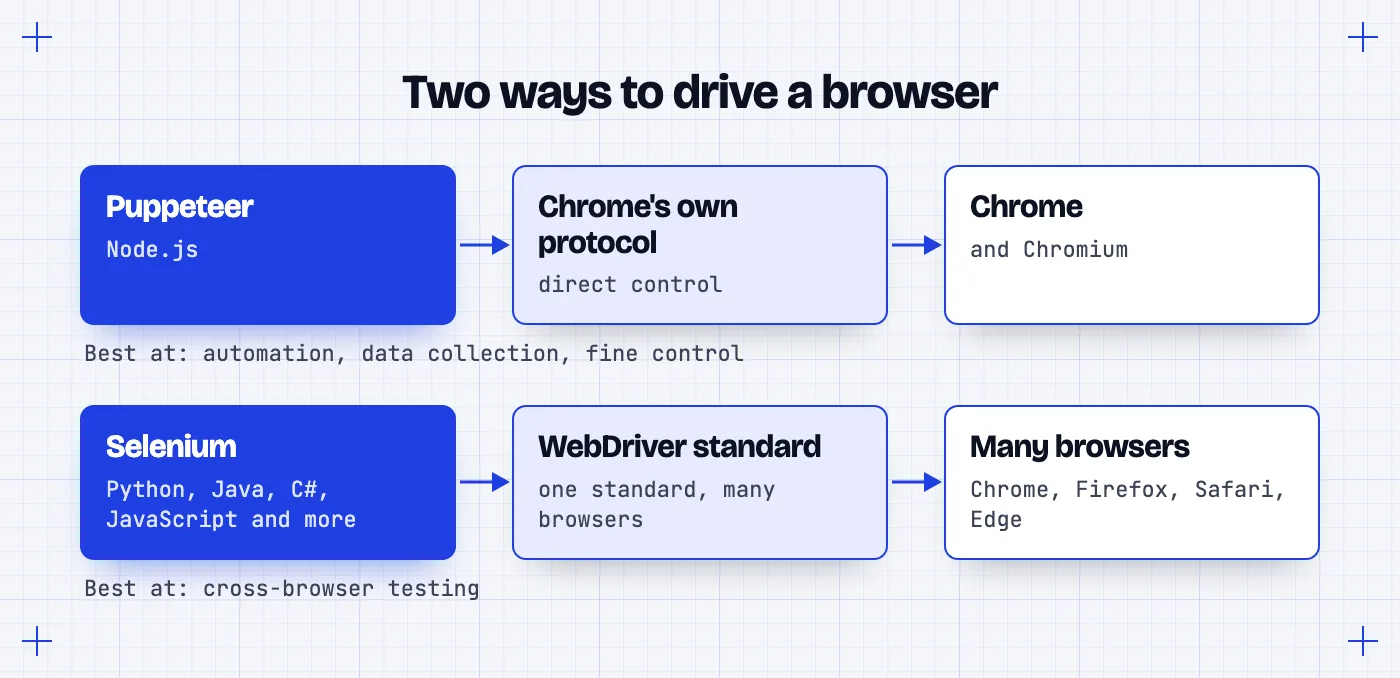
Selenium is the long-standing standard for driving many browsers from many programming languages, and it shines in cross-browser testing. Puppeteer is a Node.js library that controls Chrome directly, and it shines in automation and data collection, where speed, control and avoiding detection matter more than browser variety. For real-world automation against protected sites, I choose Puppeteer.
The work behind this
Two kinds of jobs shaped my view:
- Automating repetitive work for a social media marketing business. Logging in, performing routine actions and collecting results that people had been doing by hand.
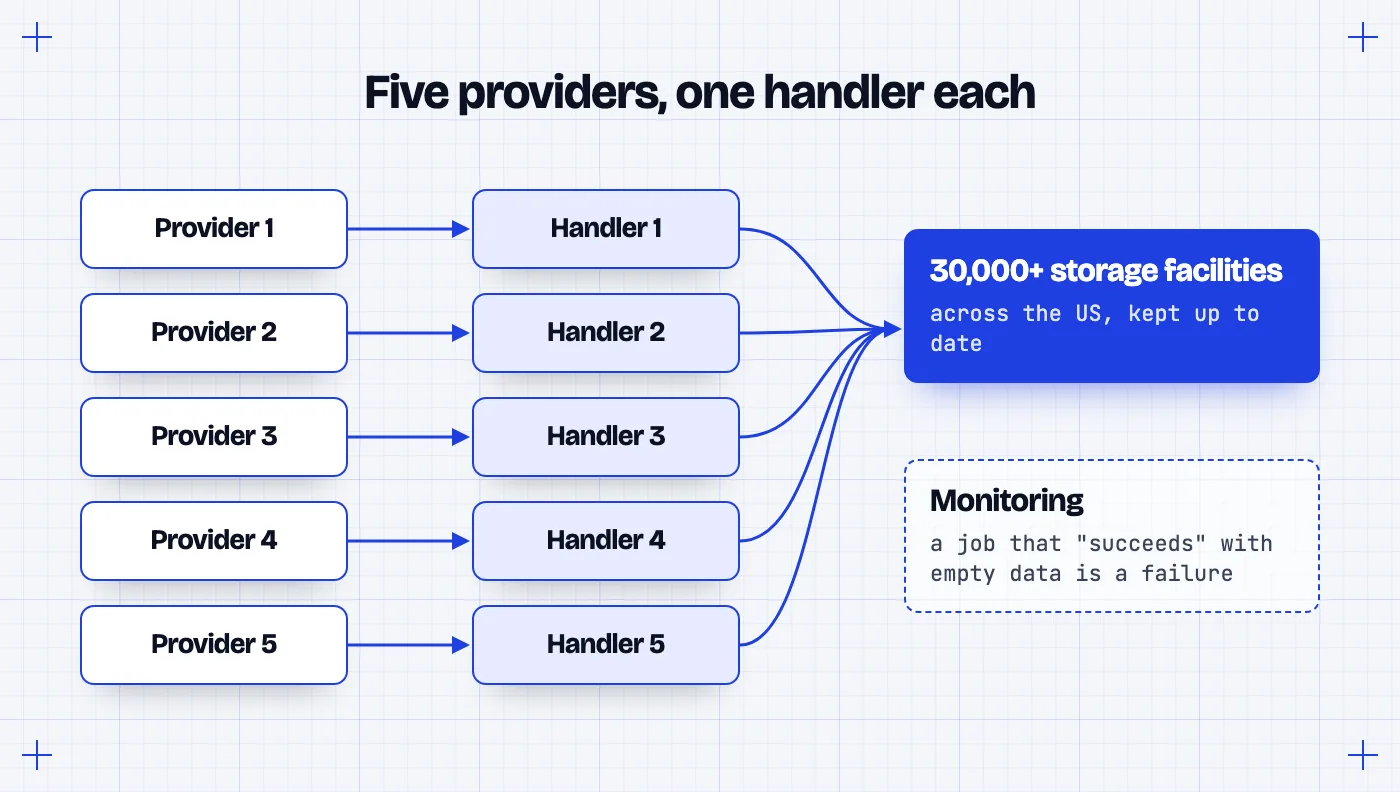
- Keeping rental storage data current at scale. I managed automation that kept information up to date for more than 30,000 storage facilities across the US, pulled from 5 different storage providers.
The second one is where tool choice really mattered. Thousands of pages, five different websites, each with its own layout and its own defenses, refreshed again and again. A setup that works for a demo falls apart at that size.
How do Puppeteer and Selenium differ?
| Puppeteer | Selenium | |
|---|---|---|
| Language | JavaScript and TypeScript (Node.js) | Many: Python, Java, C#, JavaScript and more |
| Browsers | Built for Chrome and Chromium | Chrome, Firefox, Safari, Edge |
| How it controls the browser | Directly, through Chrome's own protocol | Through the WebDriver standard |
| Best at | Automation, data collection, fine control | Cross-browser testing |
| Avoiding detection | Strong, with the stealth plugin | Harder out of the box |
Why I chose Puppeteer
Two reasons: getting past anti-bot protection, and stability.
Anti-bot protection. Sites that don't want automated visitors look for signs of an automated browser. A plain automated browser gives off plenty. With Puppeteer, the stealth plugin (from the puppeteer-extra project) hides many of those signs. For my work, that was the difference between pages that loaded and pages that blocked.
Stability. Long-running automation fails on small things: a page that loads a bit slower, an element that appears late, a pop-up nobody expected. Puppeteer's direct control of Chrome made it easier to wait for exactly the right moment and recover when something went wrong. Across thousands of pages a day, those small differences decide whether a job finishes.
When is Selenium the better choice?
When you need many browsers, or your team works in a language other than JavaScript. If your goal is to test that your own website works in Chrome, Firefox and Safari, Selenium is built for that. It's also a natural fit when the rest of your project is in Python or Java.
Which would I pick today?
For automation and data collection: Puppeteer with the stealth plugin, for the same two reasons. It gets past protection more reliably and stays stable over long runs.
One caution from experience: no tool makes automation permanent. Sites change their layouts and their defenses. Build monitoring from day one, so you know when a site changed before your data quietly goes stale.
Tips for browser automation that lasts
- Watch for silent failure. A job that "succeeds" with empty data is worse than one that crashes.
- Write one handler per site. Five providers meant five sets of rules; keeping them separate made each one easy to fix.
- Slow down to stay reliable. Waiting for the right element beats fixed delays and beats hammering a site.
- Respect the sites you automate. Check their terms, keep the load reasonable and collect only what you need.
The same habits of monitoring and fallbacks run through my newer work too, like the news bot that watches 23 sources around the clock.
Need work automated or data kept current from websites? Message me on WhatsApp and tell me what you need collected.