 Shahria Emon
A credit card billing cycle is the period between two statements, usually about a month. Most explainers stop at two dates: when the statement closes and when the bill is due. But if you budget, there is a third date that matters more than both: the day you actually spent the money. I learned this the hard way, then built it into my own finance app and tested it against every day from 2026 to 2028.
How long is a credit card billing cycle?
Usually 28 to 31 days. The cycle ends on the statement closing date, when the issuer adds up your charges and produces the statement. In the US, a card that offers a grace period must deliver the statement at least 21 days before the payment due date, and the due date falls on the same calendar day each month. Most issuers give 21 to 25 days.
The 3 dates that matter
| Date | What it is | Why it matters |
|---|---|---|
| Spend date | The day you used the card | When the money actually left your budget |
| Closing date | The last day of the billing cycle | Decides which statement a charge lands on |
| Due date | The last day to pay that statement | Decides when cash leaves your bank account |
Here is a worked example with a card that closes on the 25th and is due on the 20th of the next month:
- You buy groceries on March 10. It lands on the statement that closes March 25, due April 20.
- You buy groceries again on March 27, two days after closing. It lands on the next statement, closing April 25, due May 20.
Two purchases in the same month, paid in two different months. That gap is where budgets break.
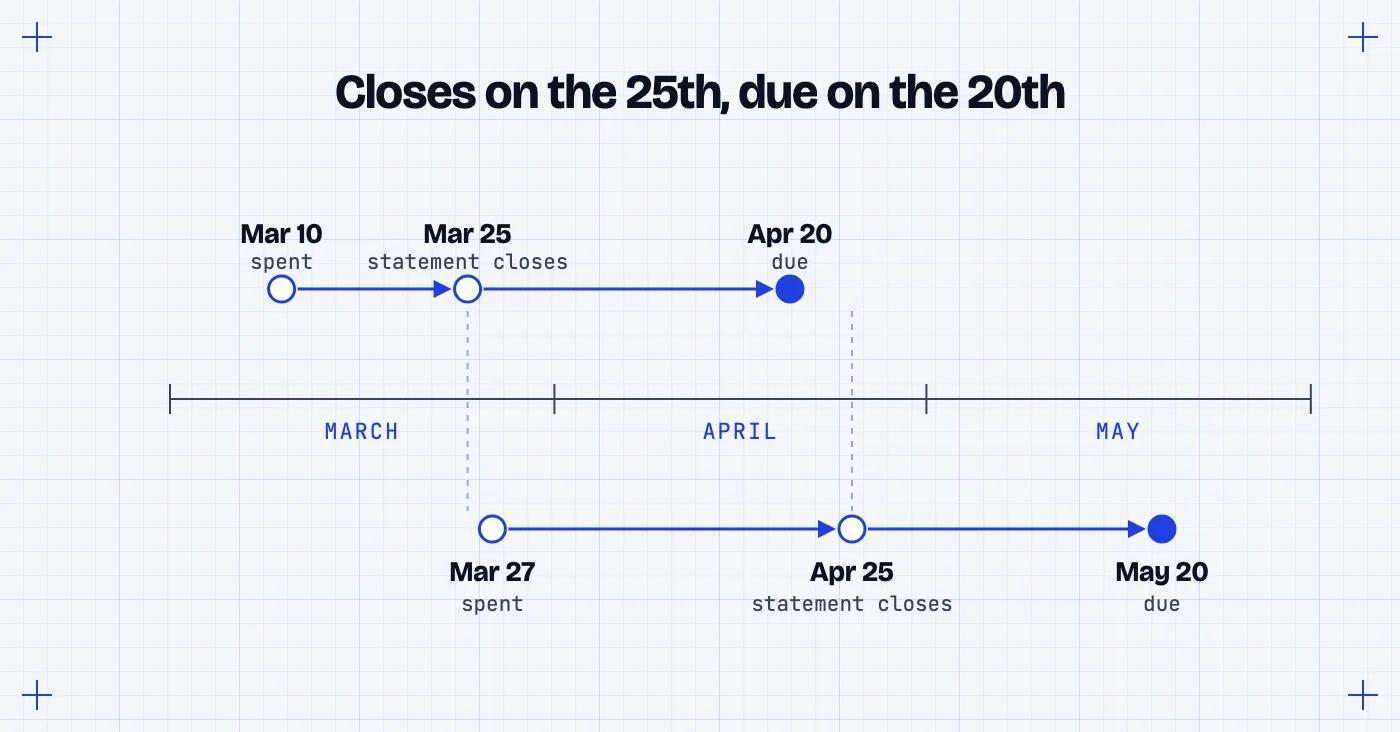
Closing date vs due date
The closing date ends the cycle and freezes the statement balance. The due date is the deadline to pay it. Pay the full statement balance by the due date and you pay no interest on purchases, because the grace period renews each month. Pay less and you lose the grace period: interest is charged on what's left, and usually on new purchases too, until you pay in full again.
A charge made the day after closing gets the longest wait before it's due: a full cycle plus the grace period, often around 50 days.
Why budgets break: counting the wrong date
Most people track a card the easy way: by the bill. The statement arrives, they pay it, and they count it as that month's spending.
The trouble is that the bill mixes two months. Part of it is last month's spending after the closing date, part is this month's. Count by bill, and a month where you spent carefully can look terrible, and the reverse. Your budget ends up measuring your card's calendar, not your behavior.
I kept my family's expenses in a spreadsheet, then Notion, then my own app. Every time the numbers didn't match, the cause was the same: a card charge counted on the day the bill was paid instead of the day it was spent.
The rule that fixes it: spend-day accounting
The fix is one rule: a card charge counts on the day you spend it, never the day you pay the bill. Your budget tracks spending. The card's dates only decide when the cash leaves your bank.
That gives you two separate questions with two separate answers:
- How much did I spend this month? Add up everything by spend date, card or cash.
- How much do I need to pay, and when? Group card charges by statement, using each card's closing and due days.
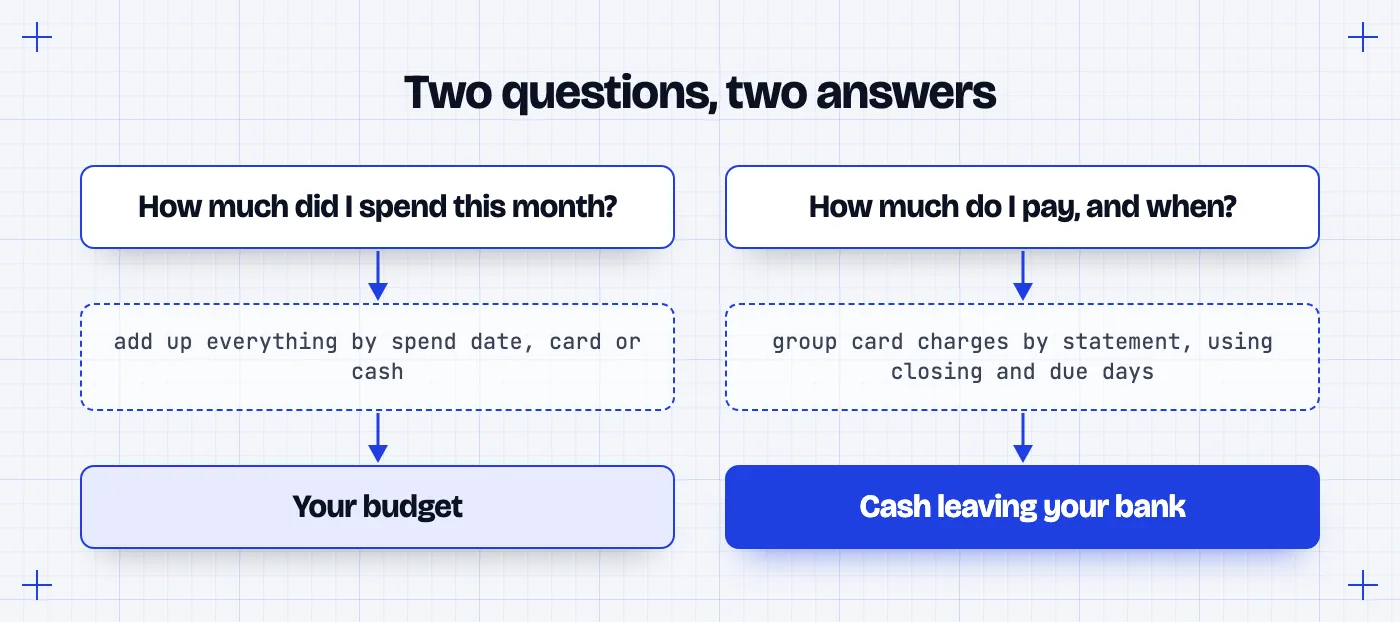
How Fin handles it
Fin, the finance app I built for myself, does this automatically:
- Every charge counts on its spend date. The budget always reflects when money was spent.
- Each card has its own closing and due days. A charge after the closing day rolls into the next cycle, and the due date fills in by itself.
- Shortfalls carry forward. If a month ends over budget, the gap comes out of next month's money, so the overspend can't quietly disappear.
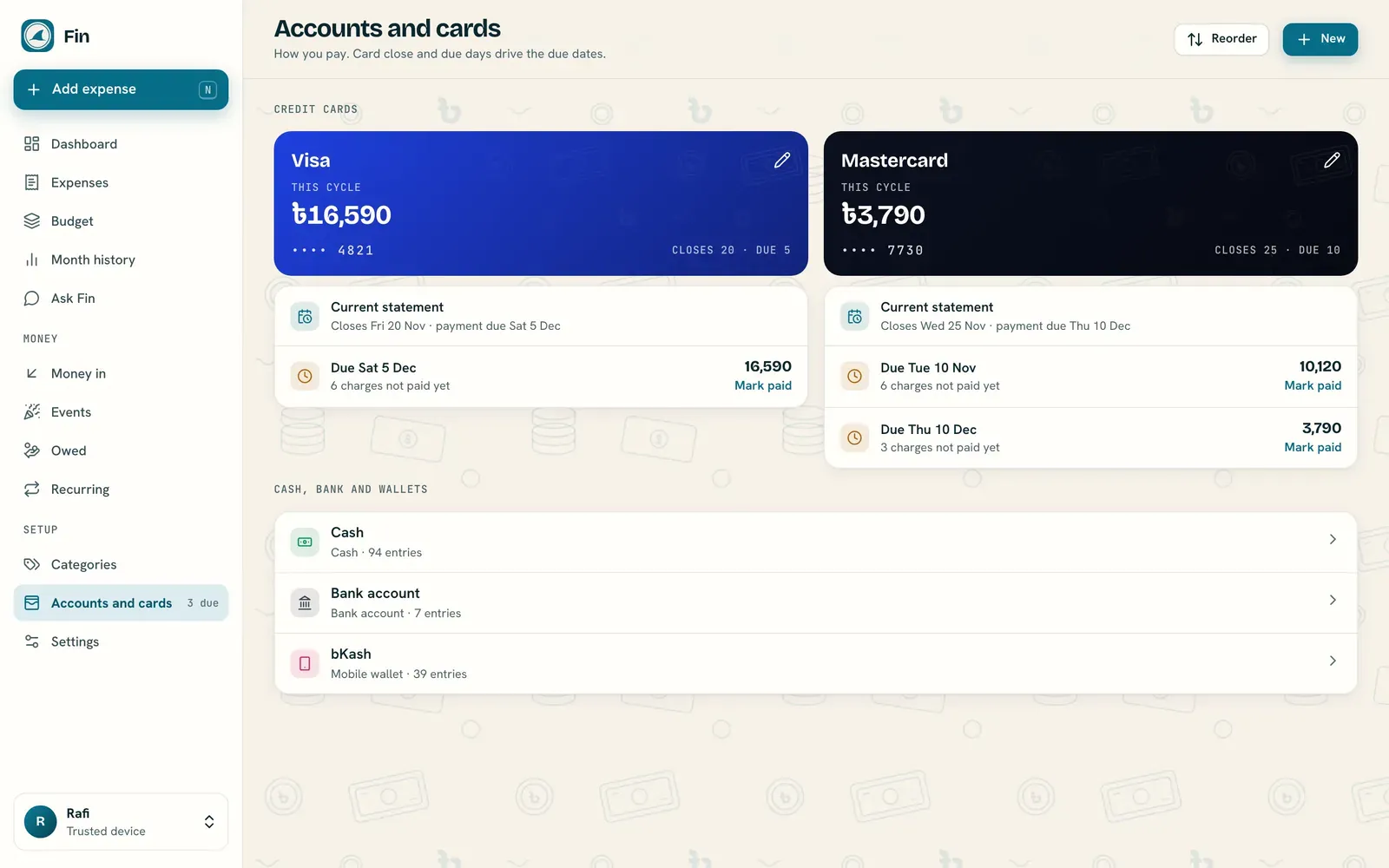
Getting the card rule right was the part I tested hardest. It was checked against every single day from 2026 to 2028, so month ends, short months and leap days all behave. When Fin replaced my old tracker, every month's totals matched the old records with 0 differences.
How to track credit card spending by billing cycle
You don't need an app to do this. A spreadsheet works with three columns per charge:
- Spend date, used for your monthly budget.
- Statement, the closing date the charge falls under.
- Due date, from that statement.
Budget by column 1. Plan payments by columns 2 and 3. Write each card's closing and due days somewhere you'll see them, since a charge one day after closing moves a whole month.
For how Fin reads plain-language entries like "bajar 2450 visa" in the first place, see Claude Haiku vs Sonnet in a live app.
Building a finance or budgeting app with rules like these? Message me on WhatsApp and tell me what it needs to track.